
App icon
The icon made the product promise tactile: variables, equality, comparison, plus, and minus controls inside an early App Store-style square.
Archive
QED Solver was a math-computing product for Windows, iPad, and iPhone. It paired a syntax-highlighting editor with compiled solving, charts, reports, user functions, and examples for science, engineering, and general math problems.
Original product story
QED Solver was a computing platform for science and engineering problems. It was not a pocket calculator. Users wrote a problem in readable form, ran it, then reviewed solved variables, charts, and a report.
QED Solver for iPad shipped on March 9, 2012. QED Solver for iPhone followed on April 17, 2012. Both releases centered on smart problem entry, syntax highlighting, built-in functions, a fast computation engine, charts, solution reports, and user-defined functions.
QED Solver for Windows used a two-pane desktop workflow: quick-start editor on the left, generated report on the right, a 14-day free trial, and a $99 purchase path. The screenshot set also preserves examples for linear equations, function plots, finance calculations, coupled nonlinear equations, user functions, and numerical integration and differentiation.
Launch artifacts
The icon made the product promise tactile: variables, equality, comparison, plus, and minus controls inside an early App Store-style square.

QED kept a compact wordmark in the nav, with the app icon next to the product name.
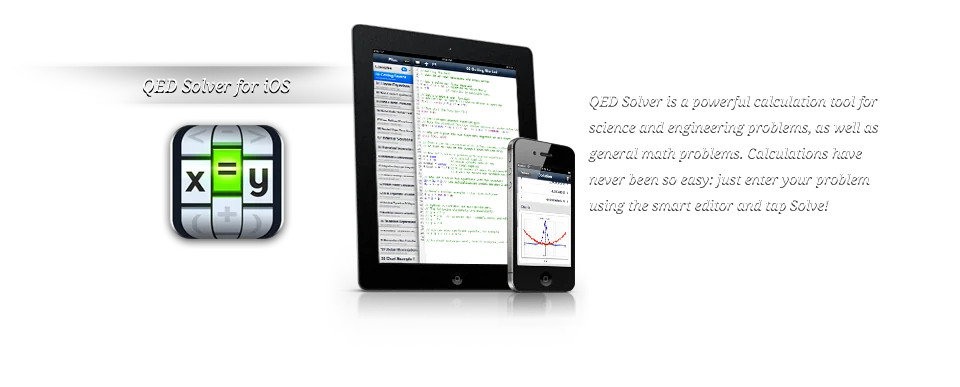
The iOS homepage paired the icon with iPad and iPhone screenshots and the line that calculations had never been so easy.

The iPad release called QED a mathematical computing application for science, engineering, and general math problems.
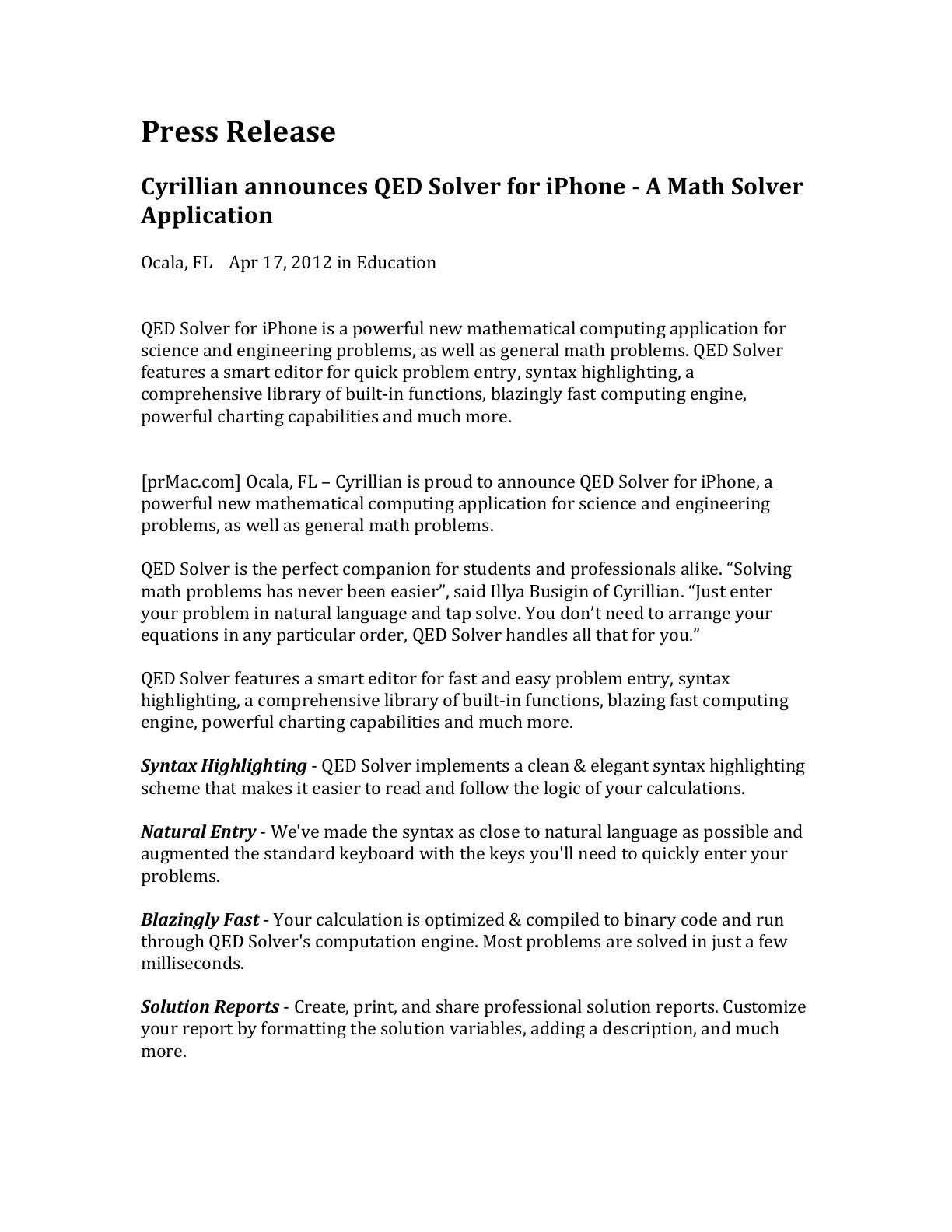
The iPhone release added device requirements, launch pricing, and a compact list of what QED could solve.
What it shipped with
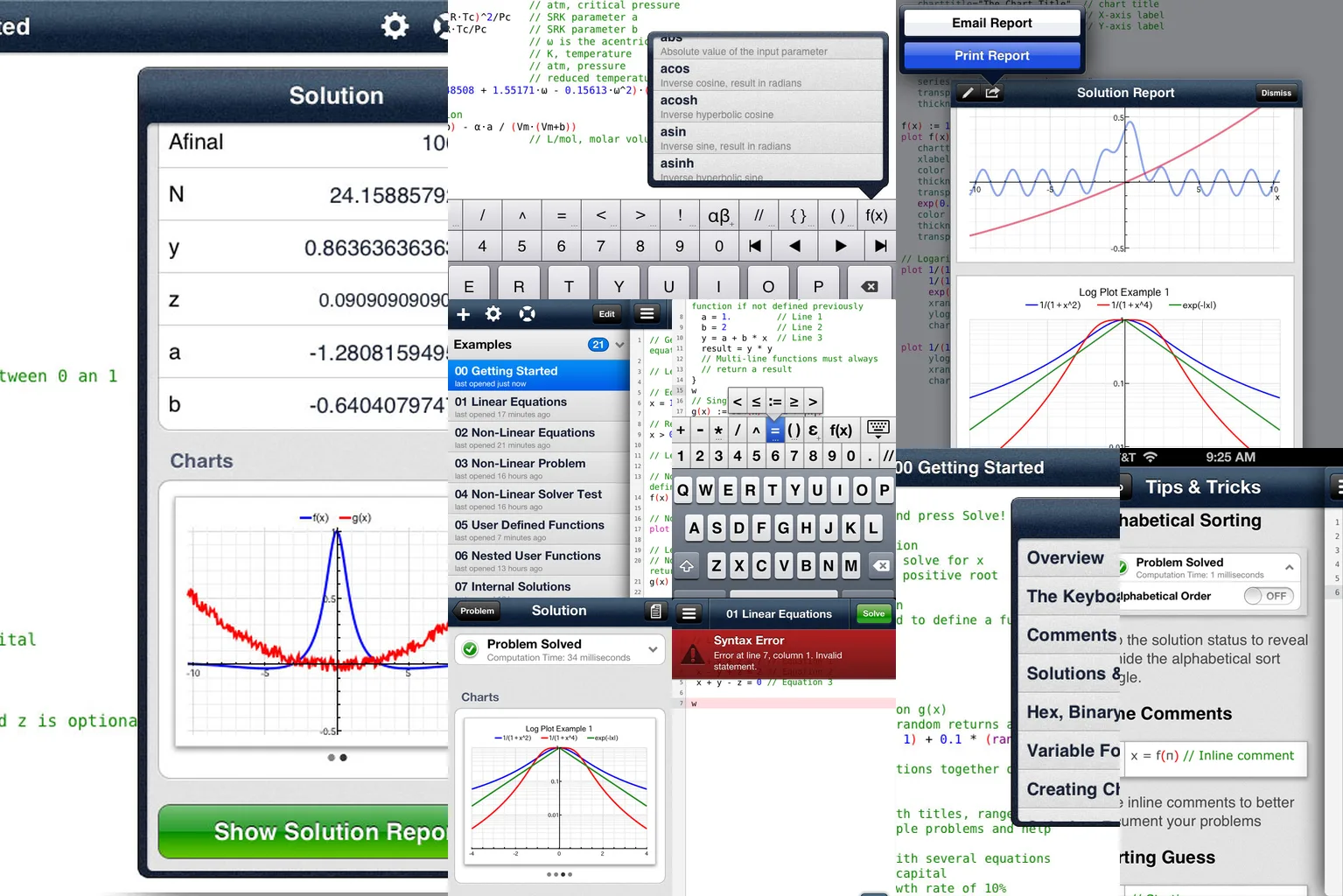
QED syntax stayed close to natural language. The editor exposed math keys for quick entry instead of forcing users to prearrange every equation.
QED optimized and compiled a problem to binary code before running it through its computation engine. The product materials put most solve times at a few milliseconds.
Solved problems produced reports with variables, statements, functions, and charts. The Windows screenshots show reports beside the editor, while the iPad and iPhone screens put report viewing behind the solution.
The examples include single-line and multi-line user functions, local variables, function parameters that can be expressions, and reuse of functions inside other equations.
QED shipped with in-app help and more than two dozen examples. The Windows archive includes examples, a Moody diagram, chart output, and help screens.
QED Solver had separate Windows, iPad, and iPhone surfaces. The mobile versions focused on tapping Solve, custom keyboards, AirPrint, App Store availability, and a compact version of the same solver workflow.
Archive notes
Supported problem types included systems of equations, linear equations, nonlinear equations, function minimizations, derivatives, and definite integrals. The example tabs also included finance calculations and numerical integration and differentiation.
The preserved press material dates the iPad release to March 9, 2012 in the Productivity category and the iPhone release to April 17, 2012 in the Education category. Both required iOS 5.0 or later.
The Windows product had an introduction video, a free 14-day trial, and a purchase link. The purchase page listed QED Solver (PC) at $99.00 and pointed site-license requests to sales.
The raw source bundle includes theme-demo pages and checkout receipt samples. This archive keeps the public product, press, support, and purchase copy, and leaves the private transaction examples out.
Screenshots
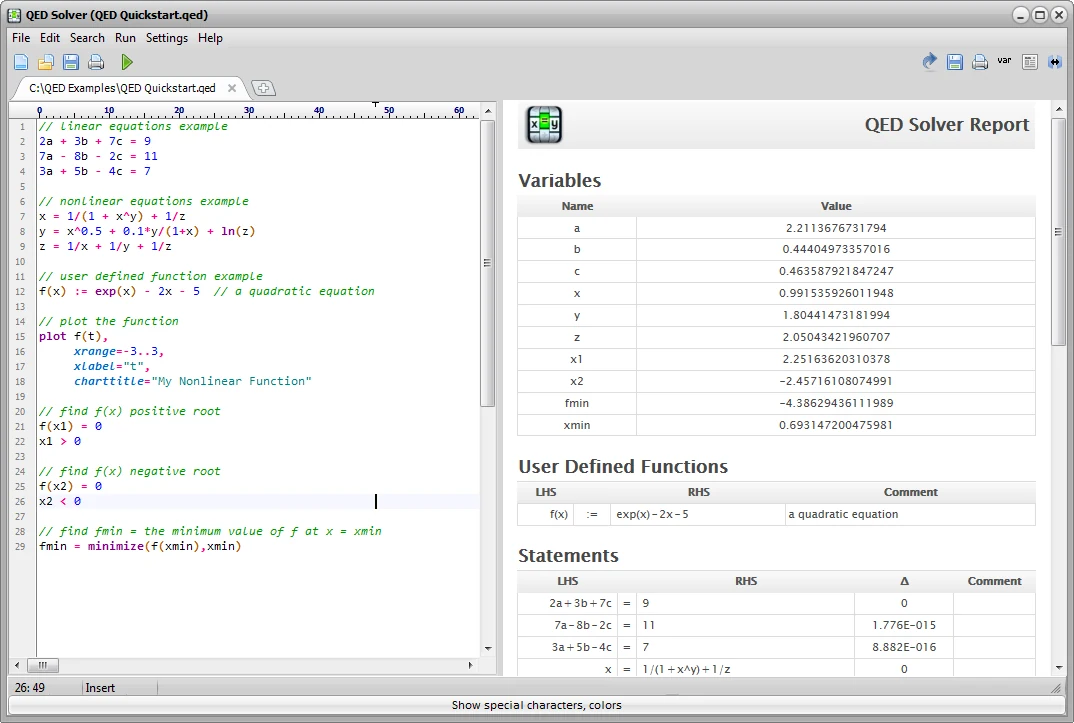
The Windows surface put editable equations beside a live report with variables, user-defined functions, and solved statements.
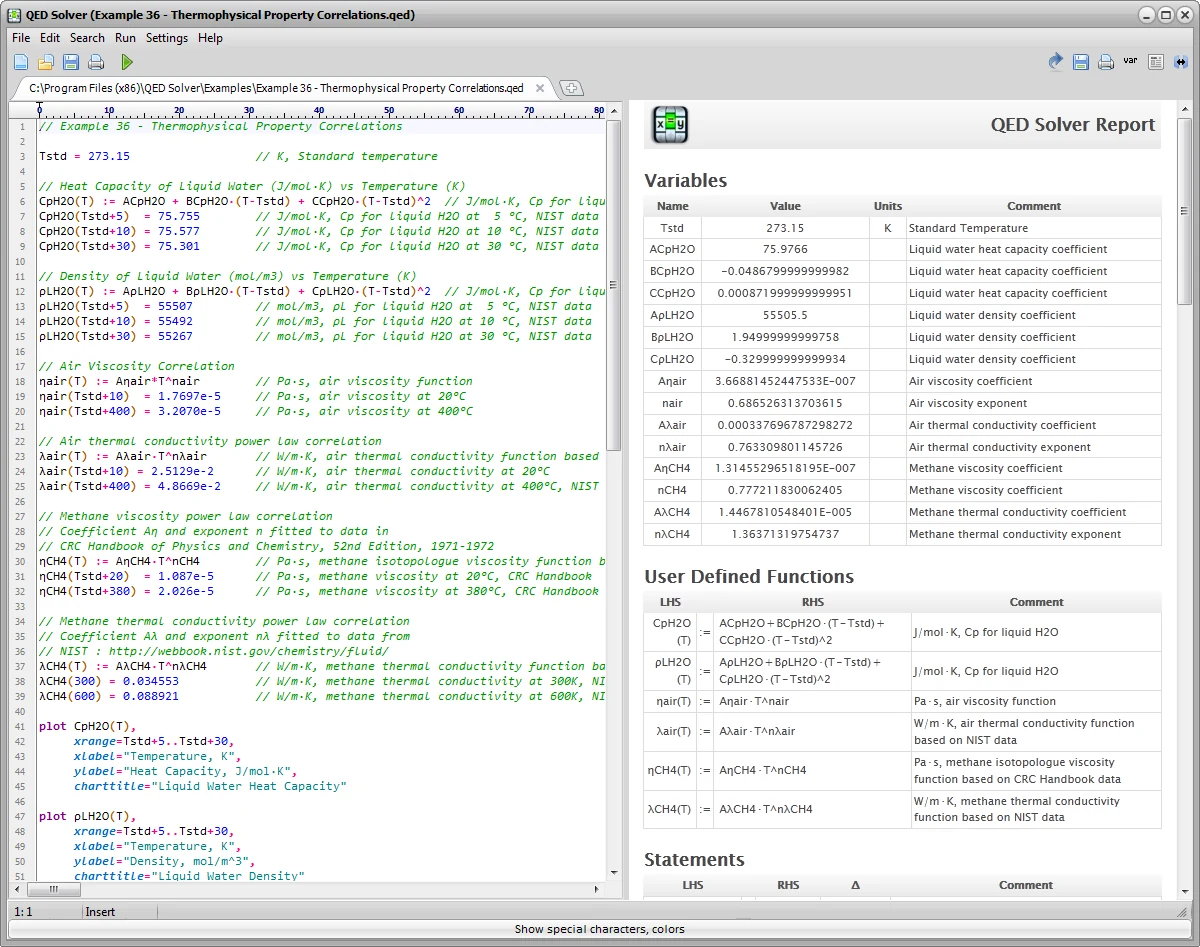
Users entered a function and data points; QED solved the function coefficients automatically.
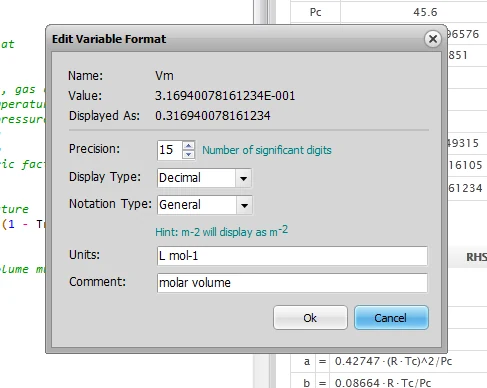
Variable output could be formatted with number display, units, and comments before appearing in the generated report.
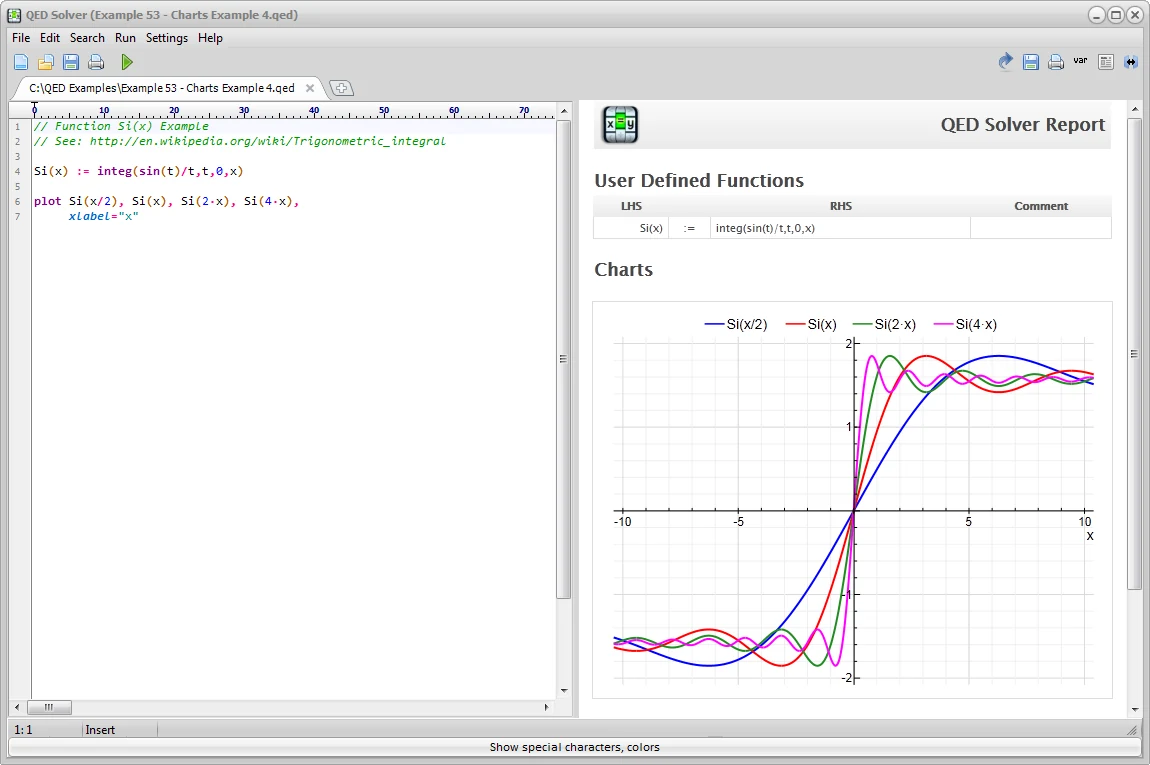
Charts were part of report output and could be copied as SVG vector graphics into other applications.
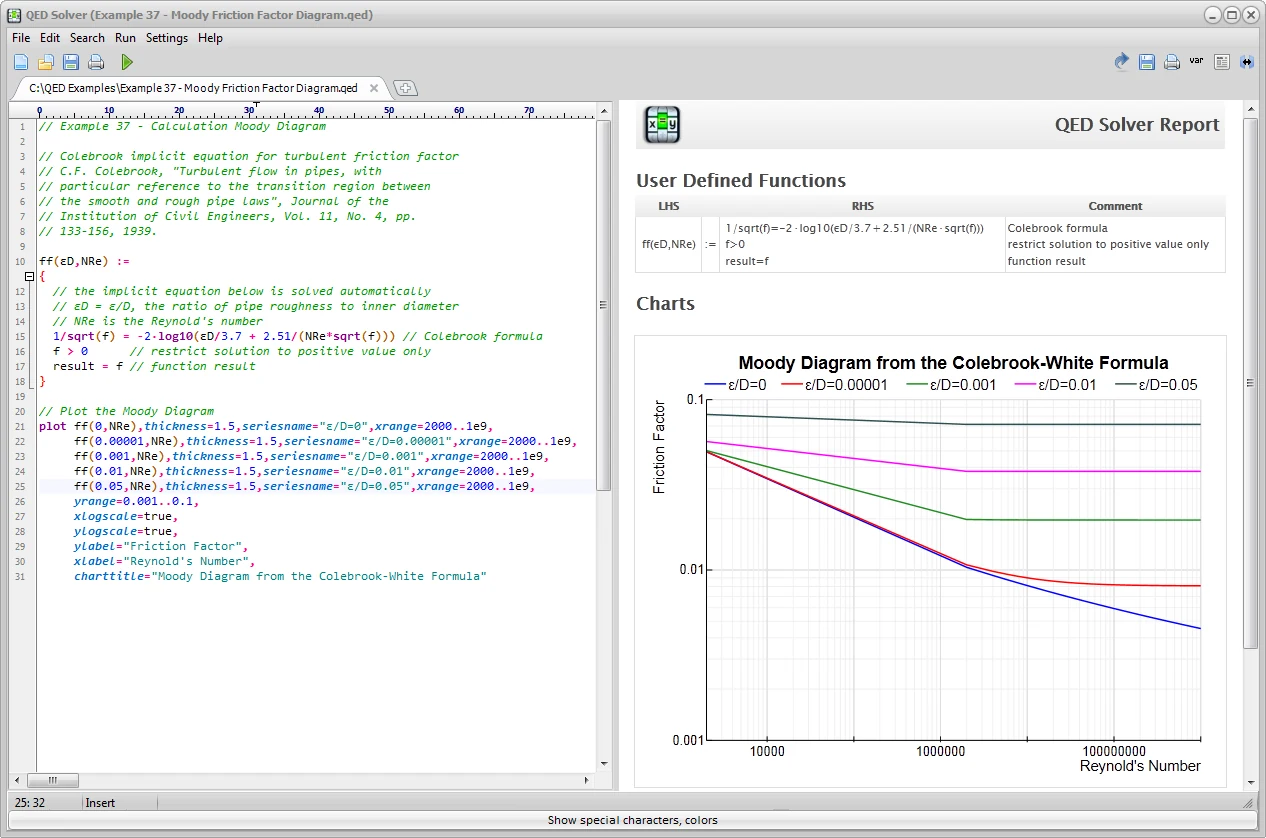
The Windows screenshots used engineering examples, including a Moody diagram generated from the implicit Moody equation.
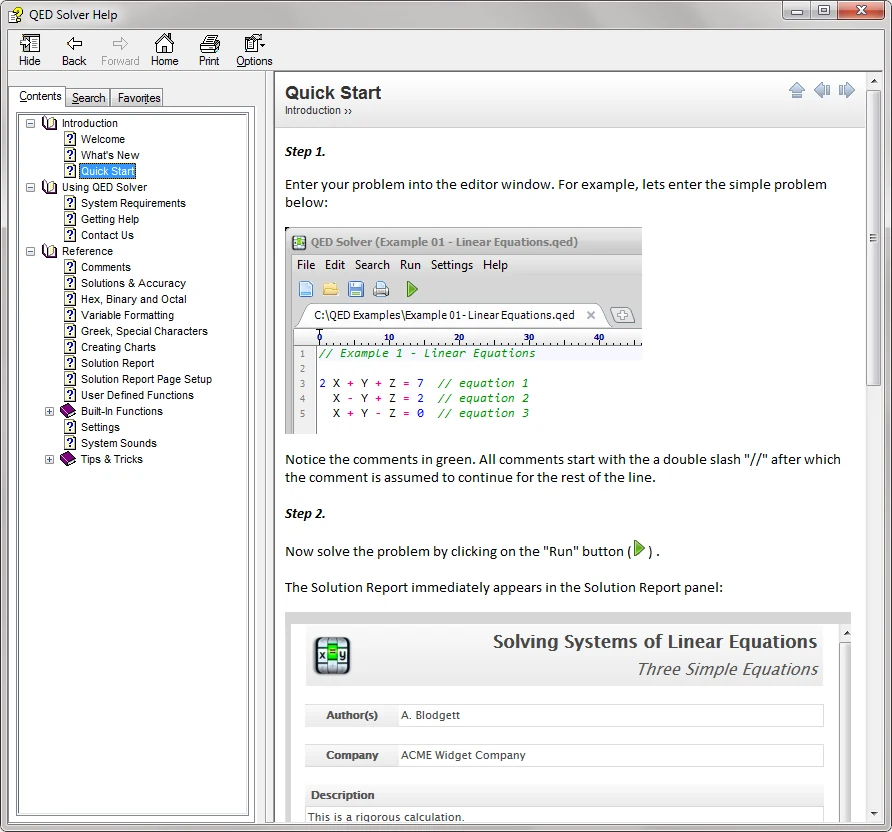
QED included help and example problems for solving and plotting. The help screen preserves that teaching layer.
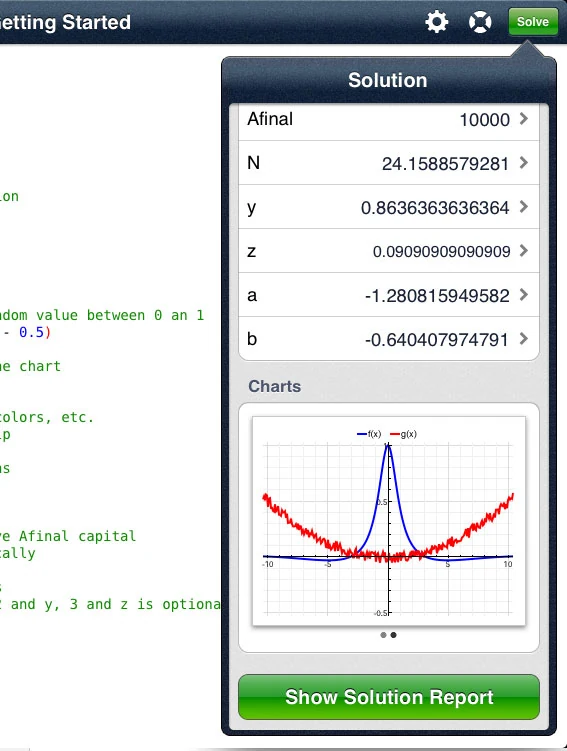
The iPad app kept the editor visible while a solution panel showed variables, charts, and the path into the full report.
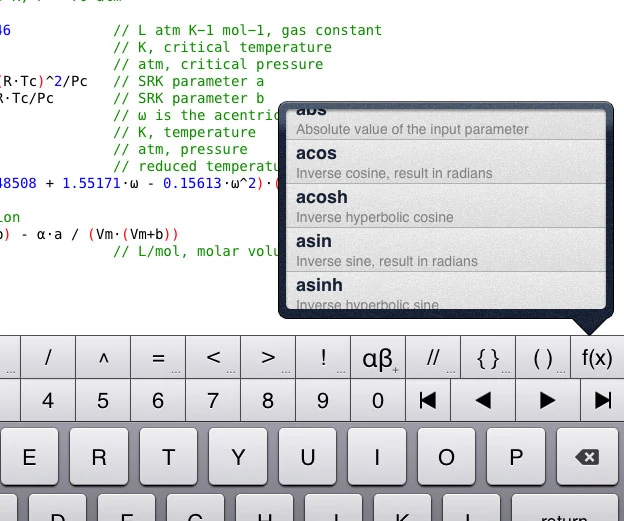
Mobile entry depended on a custom keyboard and one-tap access to built-in functions, matching the natural-entry pitch.
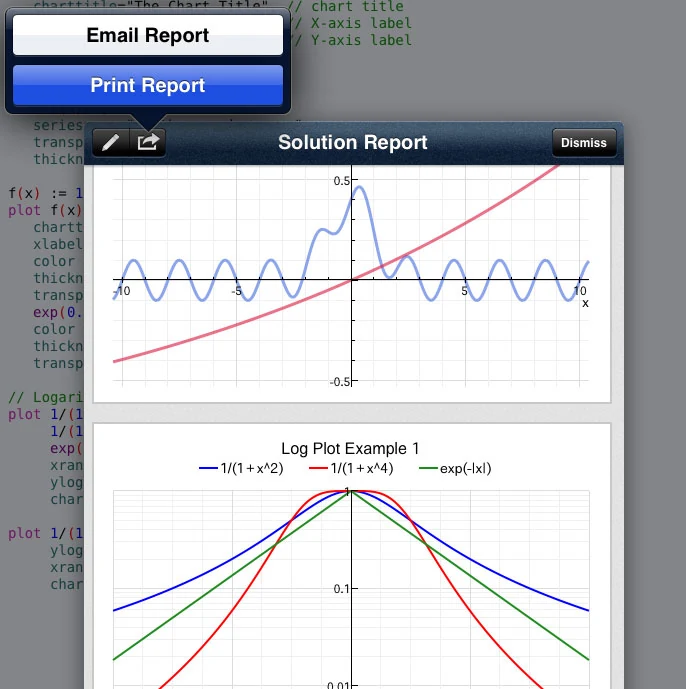
The iPad report screen preserved solved variables, statements, and charts in a document-like surface that could be shared or printed.
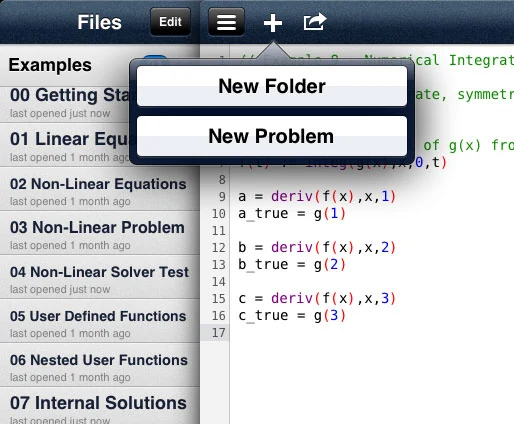
Folder-based problem management kept examples and solved work organized.
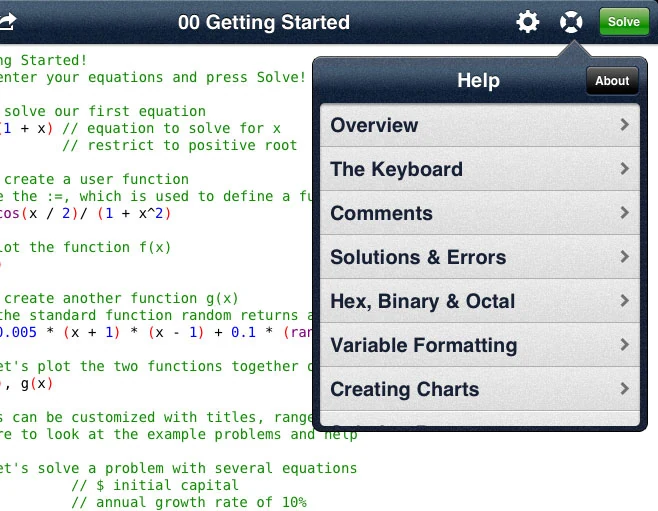
Help was not just a website fallback. The iPad app carried constants, operators, example problems, and function reference material inside the product.
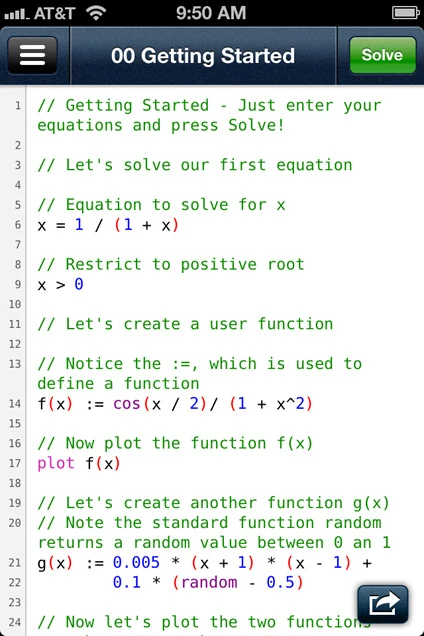
The iPhone screen made the core action literal: write the equations and tap Solve.
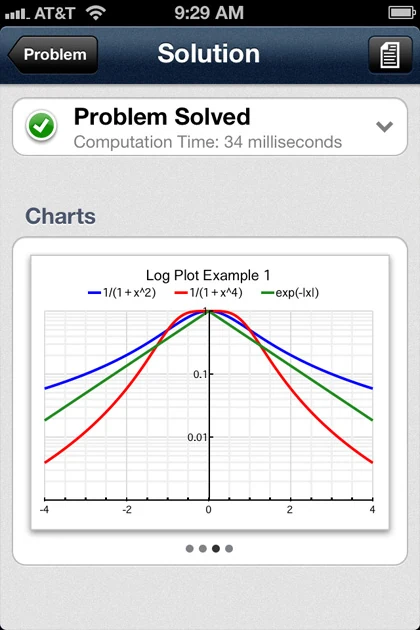
The iPhone solution view compressed answers, charts, and report access into the small-screen version of the workflow.
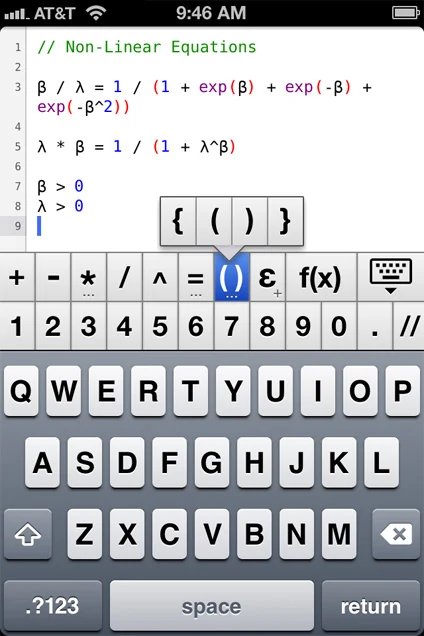
The iPhone app used a custom keyboard so operators, functions, and symbols stayed close to the editor.
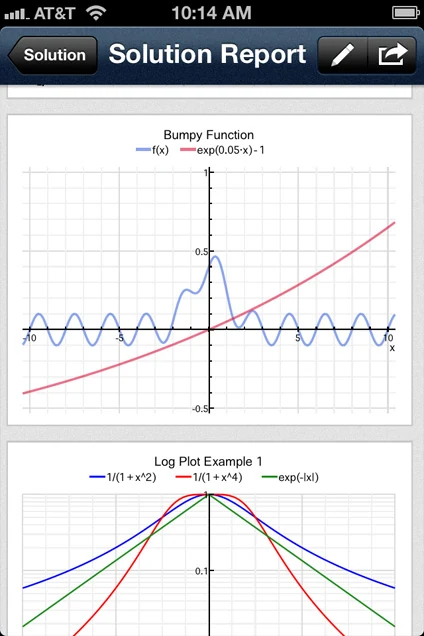
Reports were not desktop-only. The iPhone screenshots preserve the same variables, functions, statements, and chart output in a smaller format.
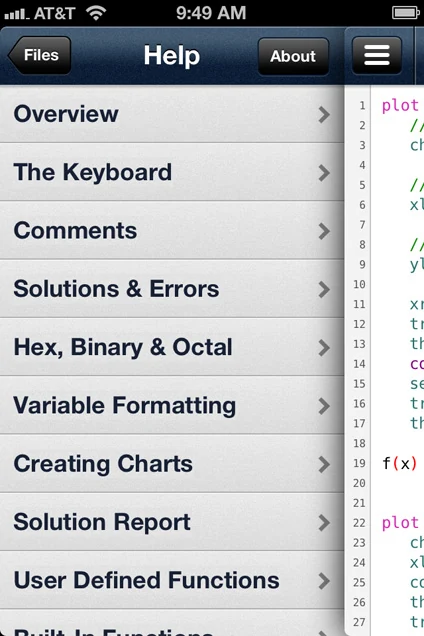
The mobile help index covered constants, functions, examples, inequalities, and operators, keeping reference material inside the app.
Product record
March 9, 2012
The iPad release positioned QED as a mathematical computing application for science, engineering, and general math problems. It listed iOS 5.0, 3.3 MB, and a $6.99 limited-time App Store price.
April 17, 2012
The iPhone release repeated the smart editor, syntax highlighting, built-in functions, fast engine, charts, reports, and user-defined functions pitch. It listed iOS 5.0, 3.7 MB, and a $2.99 limited-time App Store price.
2013
QED Solver for Windows launched in 2013 with an introduction video, a 14-day trial, and a $99.00 purchase price. The desktop product kept the same solver model but used a two-pane editor and report workflow.
Archive index